Twice the Ice kiosks dispense ice for $1.50 to $3.50. These standalone kiosks run 24 hours a day, purifying local tap water, freezing it on demand, and delivering clean ice without human hands ever touching the product.
Key Takeaways
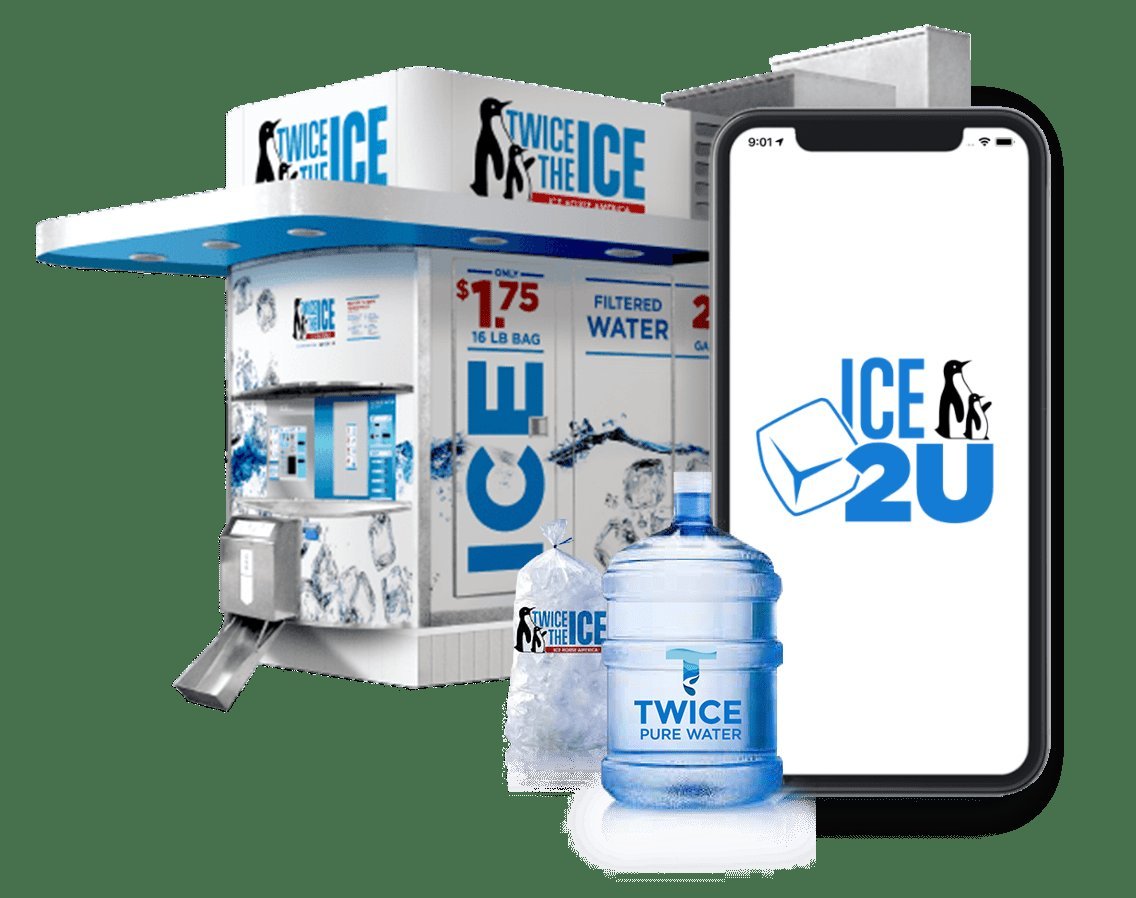
- Automated kiosks offer both pre-bagged ice and direct-to-cooler bulk dispensing options.
- Standard ice purchases generally cost between $1.50 and $3.50, while bulk purified water runs between $0.25 and $0.50 per gallon.
- Payment terminals accept credit cards, debit cards, mobile tap wallets, cash bills, and coins.
- Dispense times average 5 to 10 seconds per cycle once a transaction confirms.
- Ice House America kiosks utilize multi-stage commercial filtration that conforms to strict drinking water guidelines.
How to Use Twice the Ice Machine
Follow these steps to use the kiosk.
- Park and align your vehicle safely near the machine’s dispensing chute, leaving ample walking clearance.
- Walk to the control panel located on the front exterior wall of the structure.
- Inspect the delivery chute to verify that the drop area is clean and clear of leftover debris or packaging.
- Select payment method and follow the audio-visual prompts shown on the digital display.
- Press the product button corresponding to bagged ice, bulk ice, or purified drinking water.
- Retrieve your product immediately after the mechanical drop cycle finishes.
Pro Tip: If you choose the bulk chute option, place your cooler beneath the discharge door before swiping your card or inserting your cash.
| Step Number | User Action | Machine Response |
|---|---|---|
| Step 1 | Select payment method | Activates bill acceptor and card terminal |
| Step 2 | Insert funds or tap card | Screen confirms approved payment balance |
| Step 3 | Press ice or water option | Internal conveyor moves product forward |
| Step 4 | Wait 5–10 seconds | Chute door opens and dispenses product |
| Step 5 | Collect receipt (optional) | Resets display screen for the next customer |
Understanding Bagged vs. Bulk Ice Options
The kiosk gives customers a choice between bagged ice and bulk dumping. Choosing the right option prevents accidental spills and saves time during travel prep.
Bagged Ice Dispensing
Selecting bagged ice prompts the robotic arm to fill, seal, and drop a bag of ice down the slide. The sealed plastic prevents melting loss during short transport drives.
Bulk Cooler Fill
The bulk feature dumps ice directly into your container. The bin releases the ice in a rapid burst.
Warning: Don’t leave your hand inside the delivery chute during operation, as heavy ice drops rapidly under high gravitational force.
| Feature | Bagged Ice | Bulk Ice |
|---|---|---|
| Container Needed | None (machine provides bag) | Yes (customer cooler required) |
| Plastic Waste | Generates disposable bag | Zero packaging waste |
| Dispense Speed | 8 to 12 seconds | 4 to 6 seconds |
| Typical Weight | 16 lbs or 20 lbs | 20 lbs or 24 lbs |
| Best Application | Parties, small drinks, transport | Marine, fishing, commercial jobs |
Accepted Payment Methods at Kiosks
Twice the Ice kiosks feature multi-pay acceptance bays designed to handle standard modern payment channels.
- Cash currency: Clean US paper bills ranging from $1 to $20 denominations.
- Coinage: Standard US quarters, dimes, and nickels deposited into the coin track.
- Card processing: Visa, Mastercard, Discover, and American Express swipe or EMV chip cards.
- Contactless options: NFC tap services including Apple Pay, Google Wallet, and Samsung Pay.
- Proprietary tokens: Operator-issued discount tokens or fleet keys distributed by local route owners.
Most kiosks provide change exclusively in coins via a bottom retrieval tray.
How to Buy Purified Water
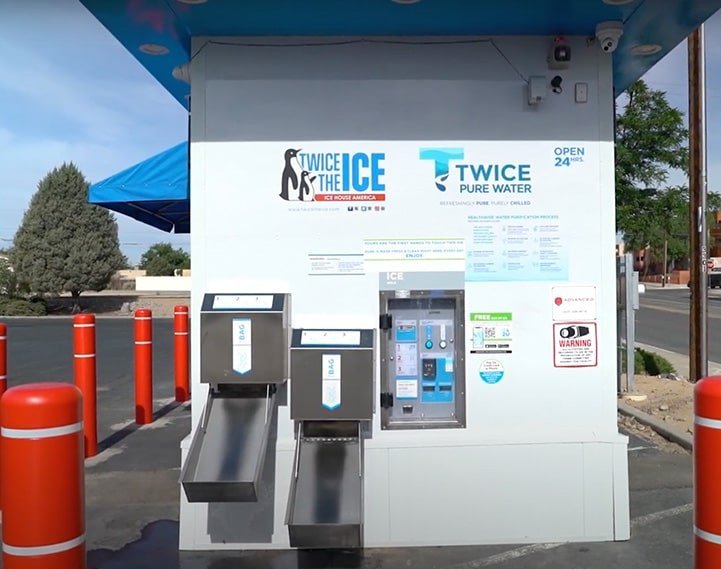
Many kiosks also dispense water. These portals vend reverse-osmosis filtered water.
Bring clean five-gallon jugs, one-gallon jugs, or stainless steel hydration tanks. Lift the acrylic splash guard on the side bay, balance your jug beneath the vertical spout, and deposit your payment. The flow delivers steady pressurized water until reaching the programmed liquid volume.
What Causes Dispensing Failures?
Mechanical or electrical faults can halt operations.
- Bridged ice cakes: Prolonged humid heat can cause internal ice to melt and re-freeze into oversized boulders that jam delivery chutes.
- Empty bag rolls: The packaging unit runs out of tubular poly sheeting, forcing the machine into an automatic bulk-only operational mode.
- Cellular communication drops: Payment card readers lose connection with merchant gateway networks during regional cell tower outages.
- Jammed bill acceptors: Wet, torn, or heavily creased paper bills lodge inside the optic validation rollers.
Pro Tip: If a kiosk swallows your paper money without dispensing goods, check the top canopy frame for the owner’s emergency dispatch telephone number.
Comparing Kiosk Ice to Retail Bags
Buying ice at automated kiosks differs significantly from purchasing packaged bags out of commercial convenience store chest freezers.
| Factor | Twice the Ice Kiosk | Gas Station Chest Freezer |
|---|---|---|
| Production Source | On-site automatic filtration | Off-site commercial warehouse |
| Human Contact | Zero manual contact | Handled by warehouse drivers and clerks |
| Blockage Level | Loose, free-flowing cubes | Solid frozen clump needing smashing |
| Average Price | $0.10 – $0.15 per pound | $0.25 – $0.40 per pound |
| Operating Hours | 24 Hours / 7 Days | Limited to store business hours |
Traditional grocery ice travels on flatbeds inside cardboard pallets before placement inside retail merchandise bins.
Troubleshooting Your Machine Transaction
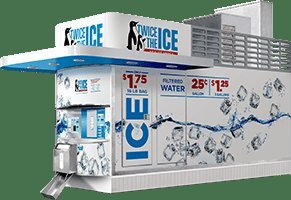
Encountering an unresponsive vending machine can derail your schedule.
- Check the display panel: Look for phrases such as “Out of Service,” “Card Reader Offline,” or “Exact Change Only.”
- Clear the chute gate: Ensure no previous customer left a wedged bag stuck inside the bottom safety flap.
- Switch to magnetic swipe: If an EMV card chip returns a read error, swipe the magnetic band smoothly through the slot.
- Confirm your item selection: Verify that you pressed the specific dispensing button after the system approved your funds.
Related guides
Frequently Asked Questions
How much does ice cost at Twice the Ice?
A standard purchase generally costs between $1.50 and $3.50. Pricing varies by territory based on local electricity, water, and lease costs. Bulk dispensing options usually give you a few extra pounds of ice for the identical price charged for bagged options.
What size bags do the machines vend?
Most machines vend 16-pound or 20-pound bags, depending on local software settings. A few high-volume stations serving coastal boat ramps or commercial hunting grounds vend 24-pound bags during active recreational seasons.
Can I fill my cooler directly without a bag?
Yes, you can direct the machine to dispense loose ice directly into an open ice chest. Position your cooler beneath the bulk door, make your purchase, and push the bulk product button.
Is Twice the Ice water safe to drink?
The water and ice are food-grade and safe for consumption. Incoming tap water passes through carbon filters, commercial water softeners, particulate sediment stages, and reverse-osmosis membranes before entering the industrial freezing coils.
What should I do if the machine takes my money?
Locate the contact plate bolted beside the machine’s coin acceptor or main digital panel. Call the support number with the machine address and transaction details to secure a refund.
Inspect your vehicle’s cargo space and bring along a heavy-duty cooler so you can take advantage of bulk pricing on your next drive past a local station.